 فارسی
فارسی
Consultation answers ready in advance
- Clients choose from the hours you make available. Existing bookings and time off are taken into account.
- Beauty consultation
Bring your salon's services and specialists together so clients can find the right treatment without calling the reception desk.
No card required · booking examples use demonstration dataExplore the working essentials and see which specialist capabilities are still being developed.
Configurable intake forms are planned and not enabled. Booking currently collects fixed contact details and an optional note; sensitive clinical questionnaires need a separately verified workflow.
Shared resource allocation is planned and not enabled. Current availability checks the service provider; it does not reserve rooms, courts, equipment or vehicles.
Bring beauty salons appointments into one clear schedule. Choose the service, provider and available time, then review the details before confirmation.
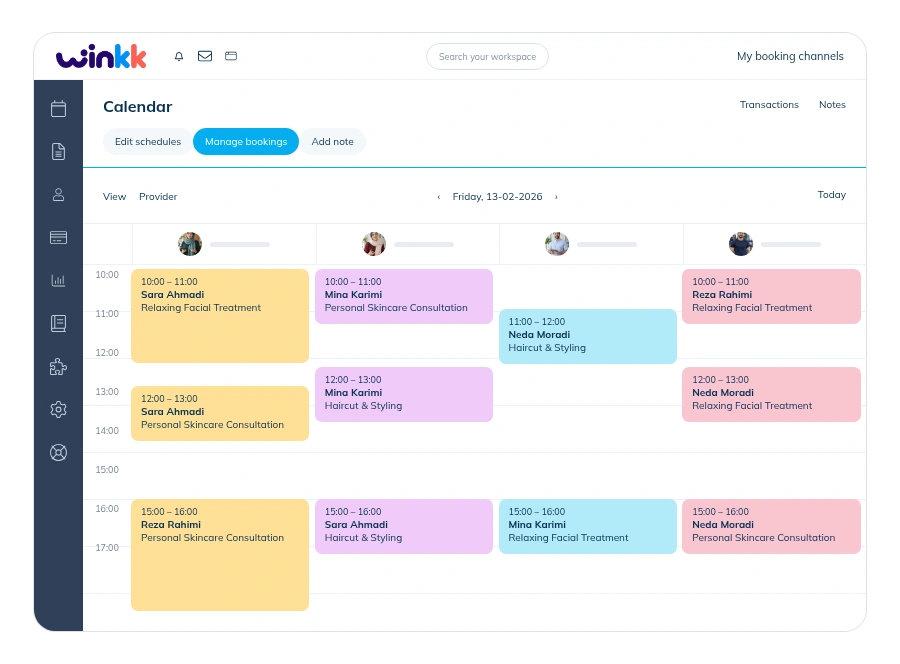
Bring beauty salons appointments into one clear schedule. Choose the service, provider and available time, then review the details before confirmation.
Configure Zarinpal payment requests and track server-verified results and receipts. Live charging is disabled; bookings can use payment at the business. Deposits, tips and card terminals are not included.
Configure Zarinpal payment requests and track server-verified results and receipts. Live charging is disabled; bookings can use payment at the business. Deposits, tips and card terminals are not included.
Connect a professional Instagram account to show a read-only photo gallery on your booking page. Account setup is required; a native Book Now button requires platform approval.
Bring beauty salons appointments into one clear schedule. Choose the service, provider and available time, then review the details before confirmation.
Bring beauty salons appointments into one clear schedule. Choose the service, provider and available time, then review the details before confirmation.
After the business configures its customer assistant and enables voice, clients can speak to find a service and time, review the transcript and explicitly confirm their booking. A supported browser and microphone permission are required.
Explore online bookingReview the duration and price, then choose an available provider.
Choose a date and one of the available start times. Group services show remaining places.
Add your name and phone, review the total and keep your private booking-management link.
Set up working hours, providers, suggested services and your website in a guided flow. Connect an AI provider to use Winkk Assistant for supported settings and reports.
Walk through the journey from your client’s point of view. The example contains demonstration data.
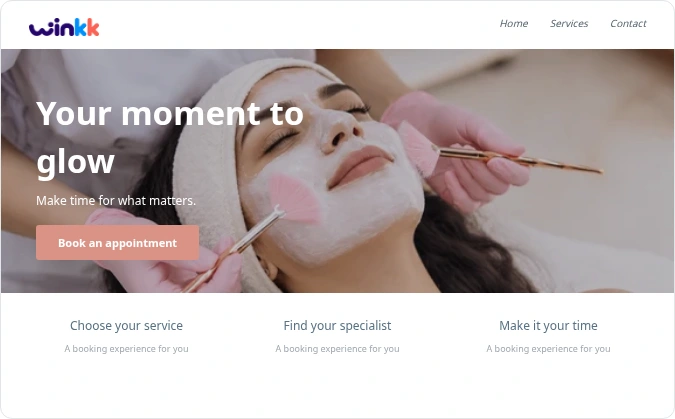
Bring your salon's services and specialists together so clients can find the right treatment without calling the reception desk.
Start with the booking example and explore the tools that fit your business.

Bring your salon's services and specialists together so clients can find the right treatment without calling the reception desk. Review the duration and price, then choose an available provider. Choose a date and one of the available start times. Group services show remaining places. Add your name and phone, review the total and keep your private booking-management link.
No. Booking examples are demonstration businesses with synthetic data. Making an example reservation does not purchase a real service.
Cancellation follows the business policy and releases the reserved time or places. Eligible individual appointments can be moved to another available time. Group bookings cannot be rescheduled by customers.
Examples show prices in toman and use payment at the business. Zarinpal setup and payment tracking are available in the workspace; live charging is disabled. Deposits are not included.
Deposits and card terminals, Treatment intake forms, Online gift-card purchase. These capabilities are not enabled in the current booking examples. The example uses scheduled appointments and pay-at-business pricing.
Yes. The responsive booking page supports Persian and English, with Jalali and Gregorian dates.